This is what working with the assistant looks like
The screenshots below come from a deployment in a CS-Cart store, because that is where our demo instance runs. The knowledge management panel looks the same wherever the assistant works, and differs only in what we connect to it on your side.
Every screen
From the widget your customer sees to the configuration, the conversation history and the internal assistant for your team. A click opens a screenshot at full size.
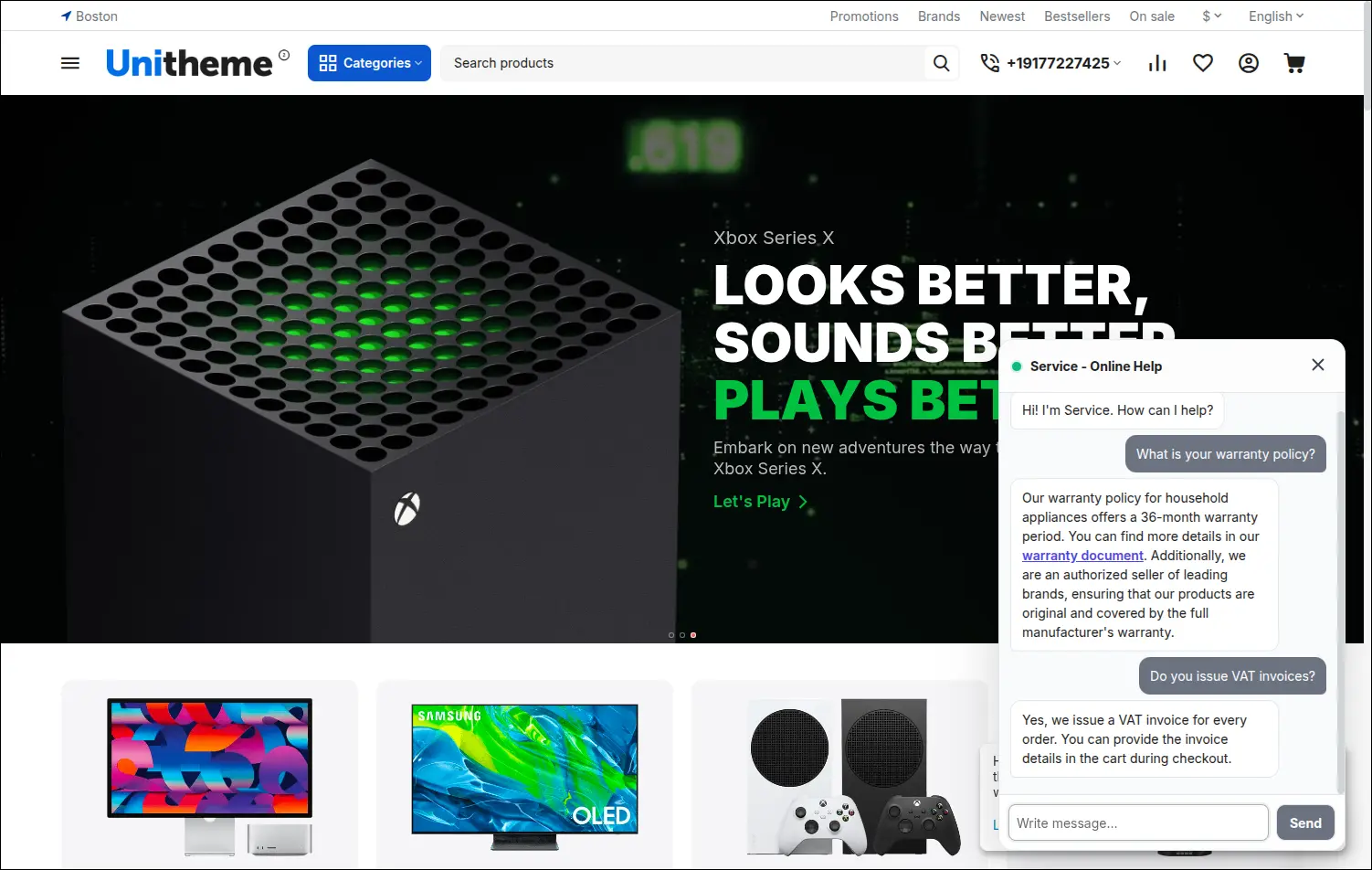
The chat widget in the store
This is how the assistant looks to a customer: a chat window in the corner of the page, a question asked in their own words and a specific answer built on the store's knowledge.
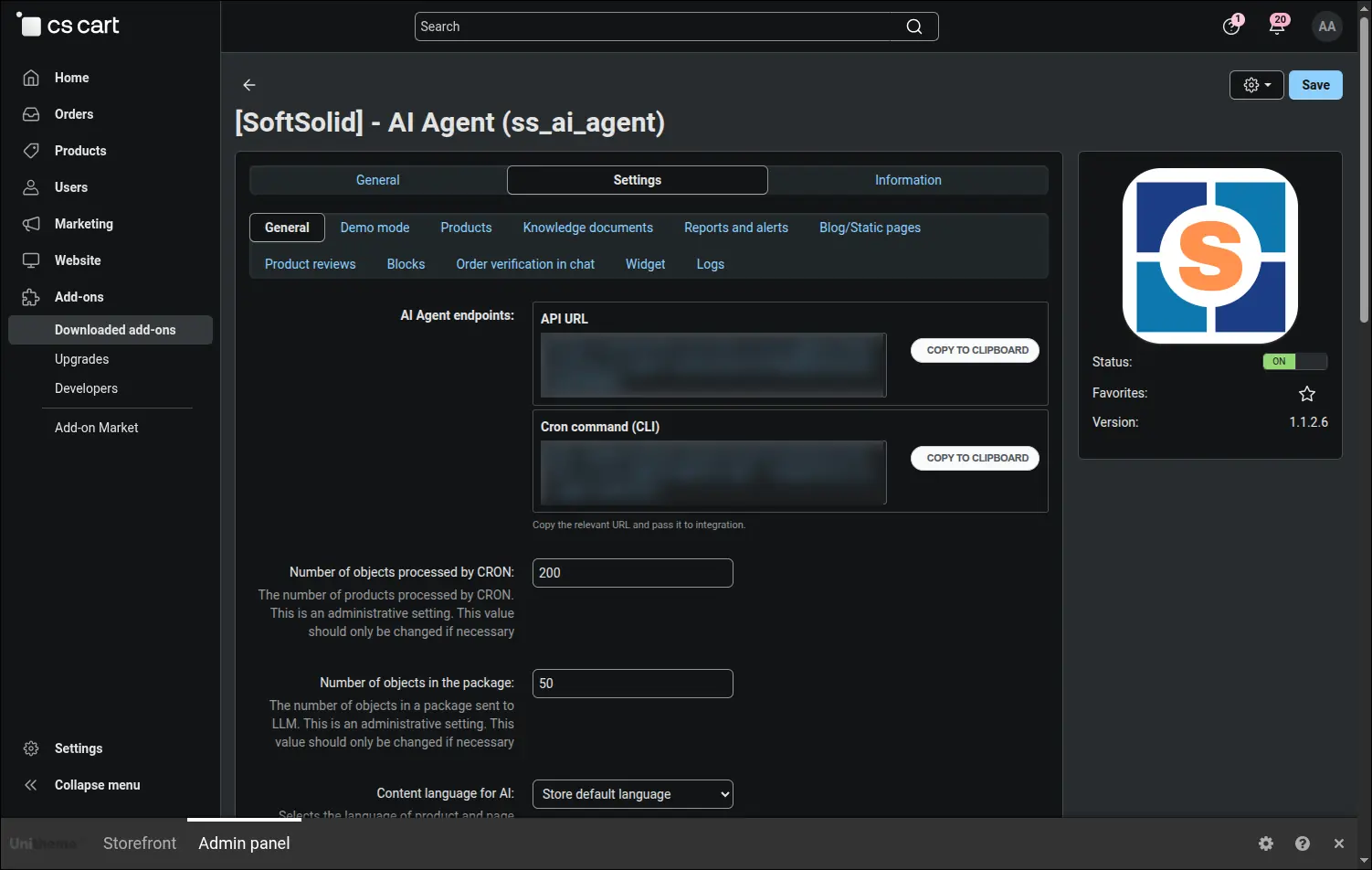
Configuration, general section
Integration addresses with copy buttons, plus the context the assistant is meant to work in: the content language, a description of the company's specialisation and a glossary of industry terms.
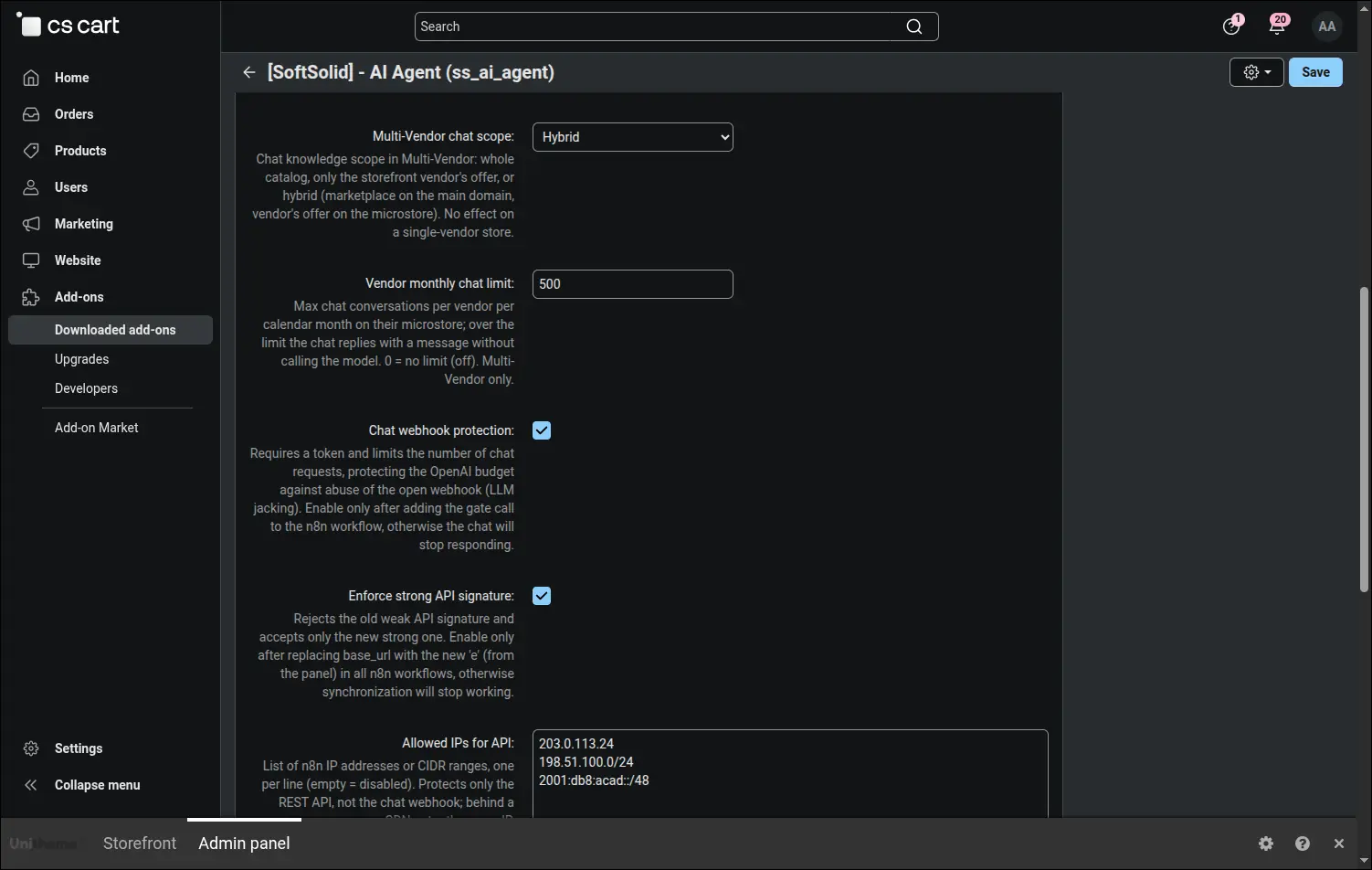
Channel security and vendor reach
Protection for the chat webhook, an enforced strong signature and a list of allowed IP addresses, and next to them the reach of the chat across vendors, their monthly conversation limit and how long the history is kept.
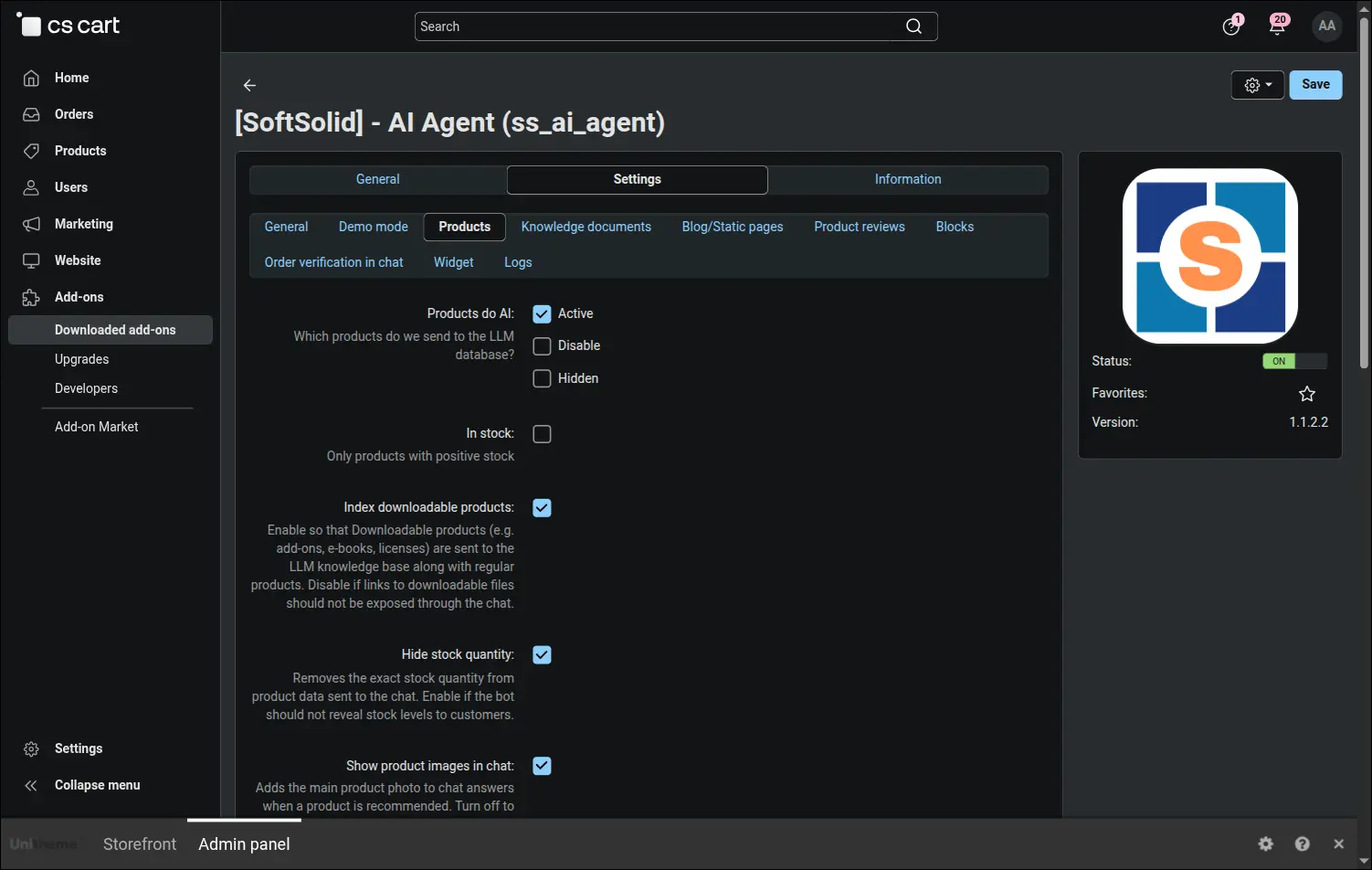
Configuration, product data scope
You decide what the assistant knows about your offer: which products it takes in, whether it reads their documents and attributes, whether it shows photos and whether it reveals stock quantities.
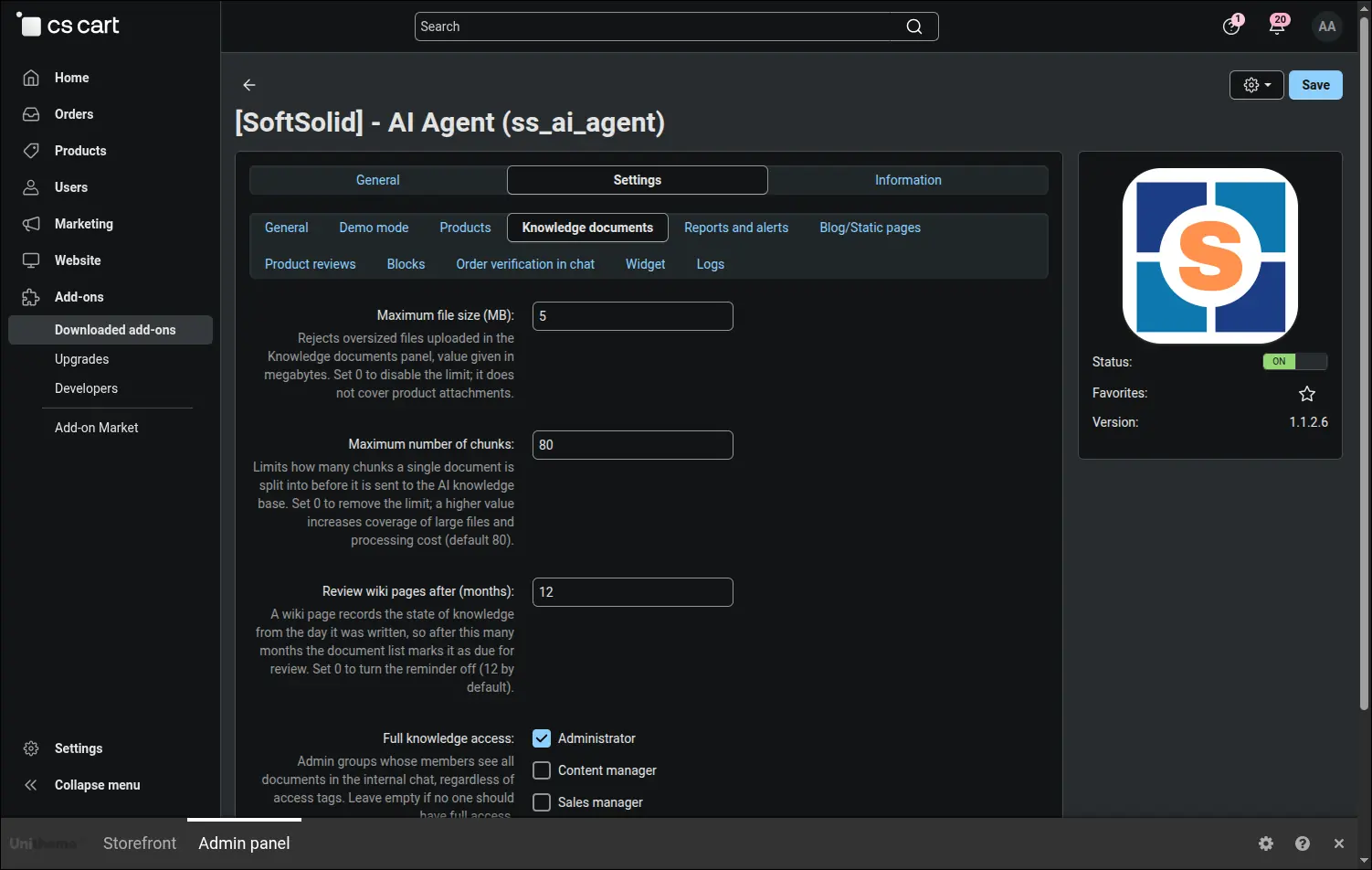
Configuration, knowledge documents
Limits for uploaded files and the settings of the internal chat, including the employee groups with full access to the knowledge base.
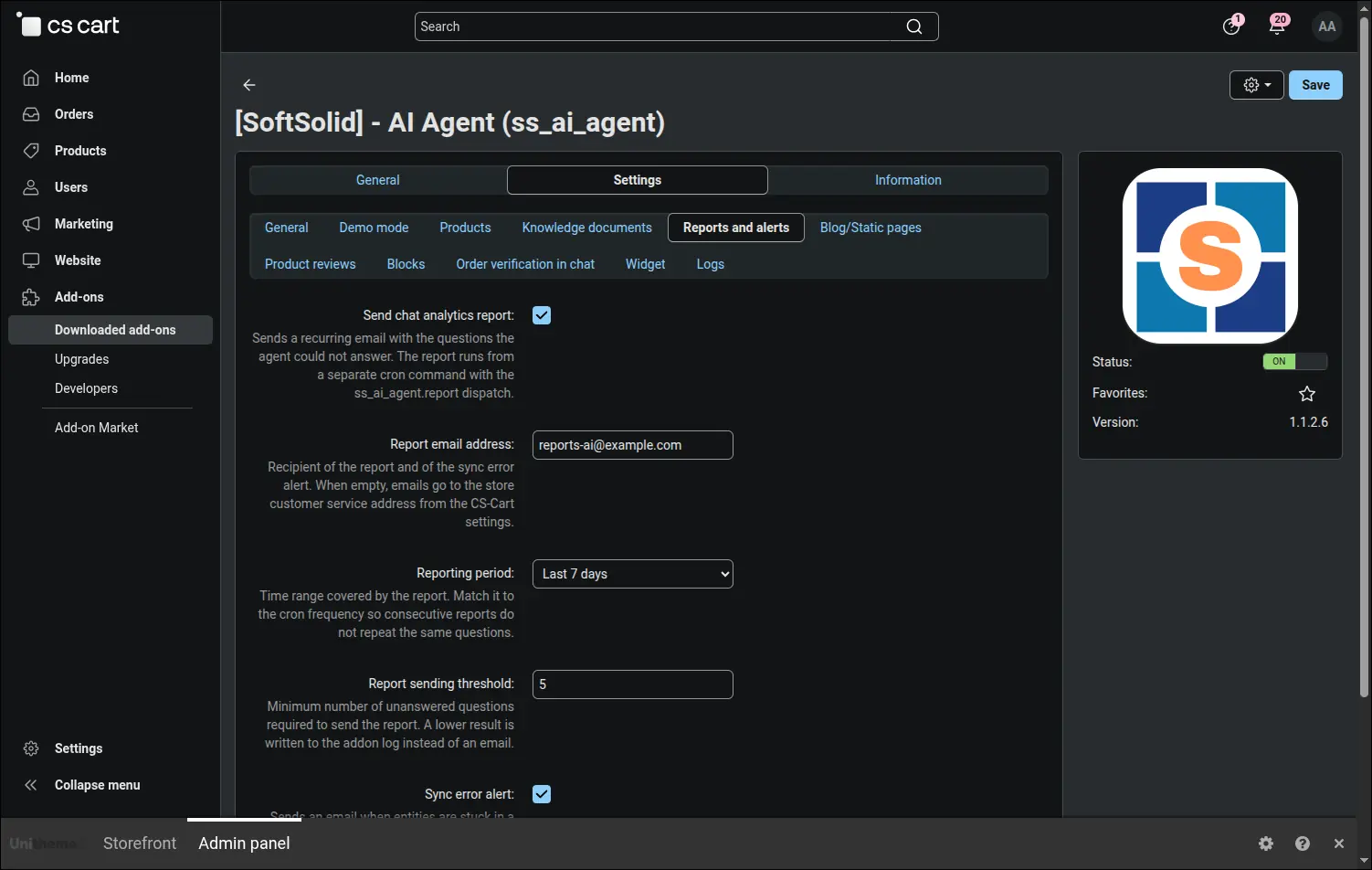
Configuration, reports and alerts
A recurring analytics report sent to a chosen address, with its own time window and sending threshold, plus an alert about synchronisation errors with a gap between consecutive messages.
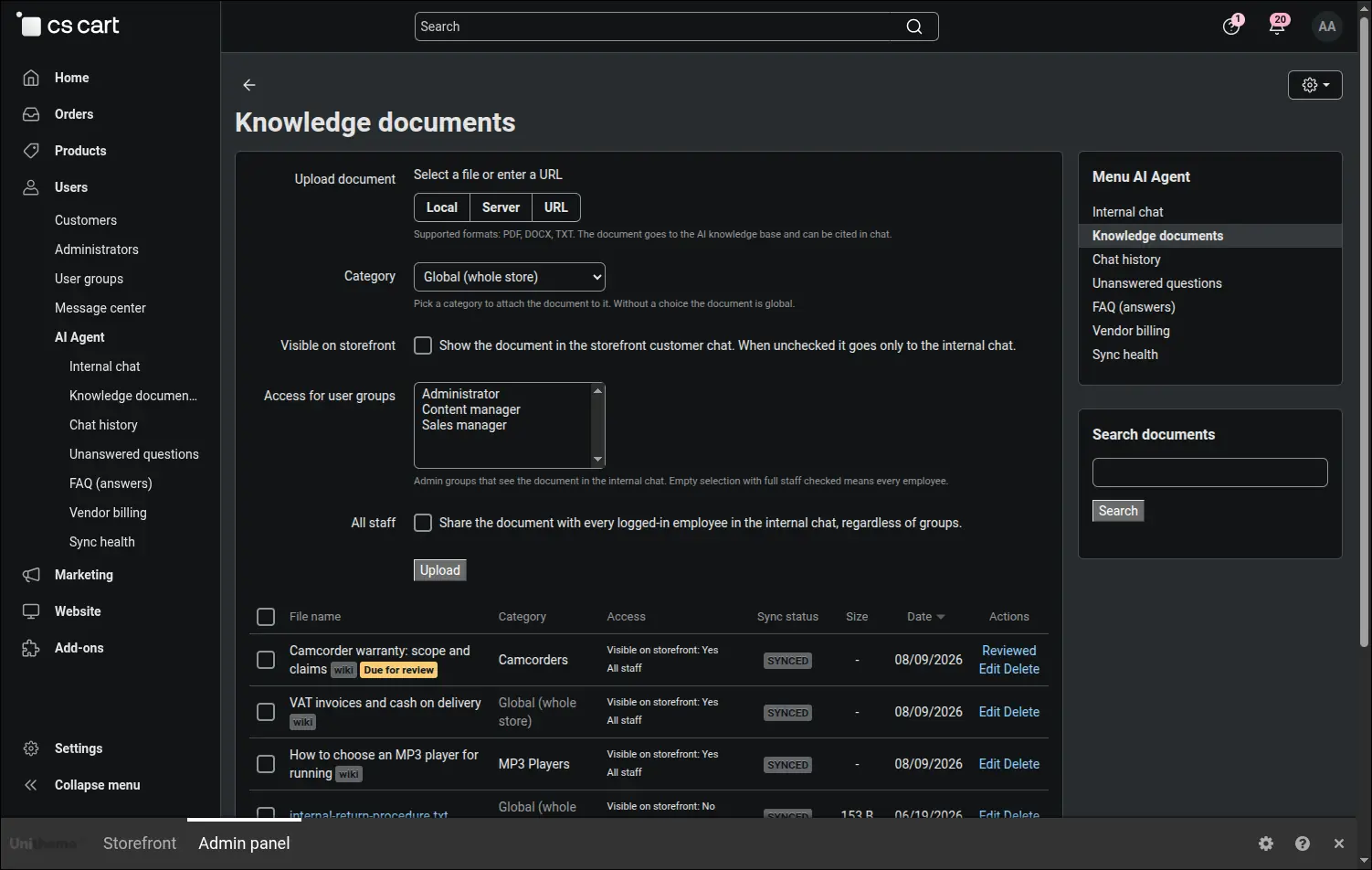
The document base
A list of the uploaded knowledge with an access column and a form for sending new files. This is where procedures, manuals and other materials the assistant works on land.
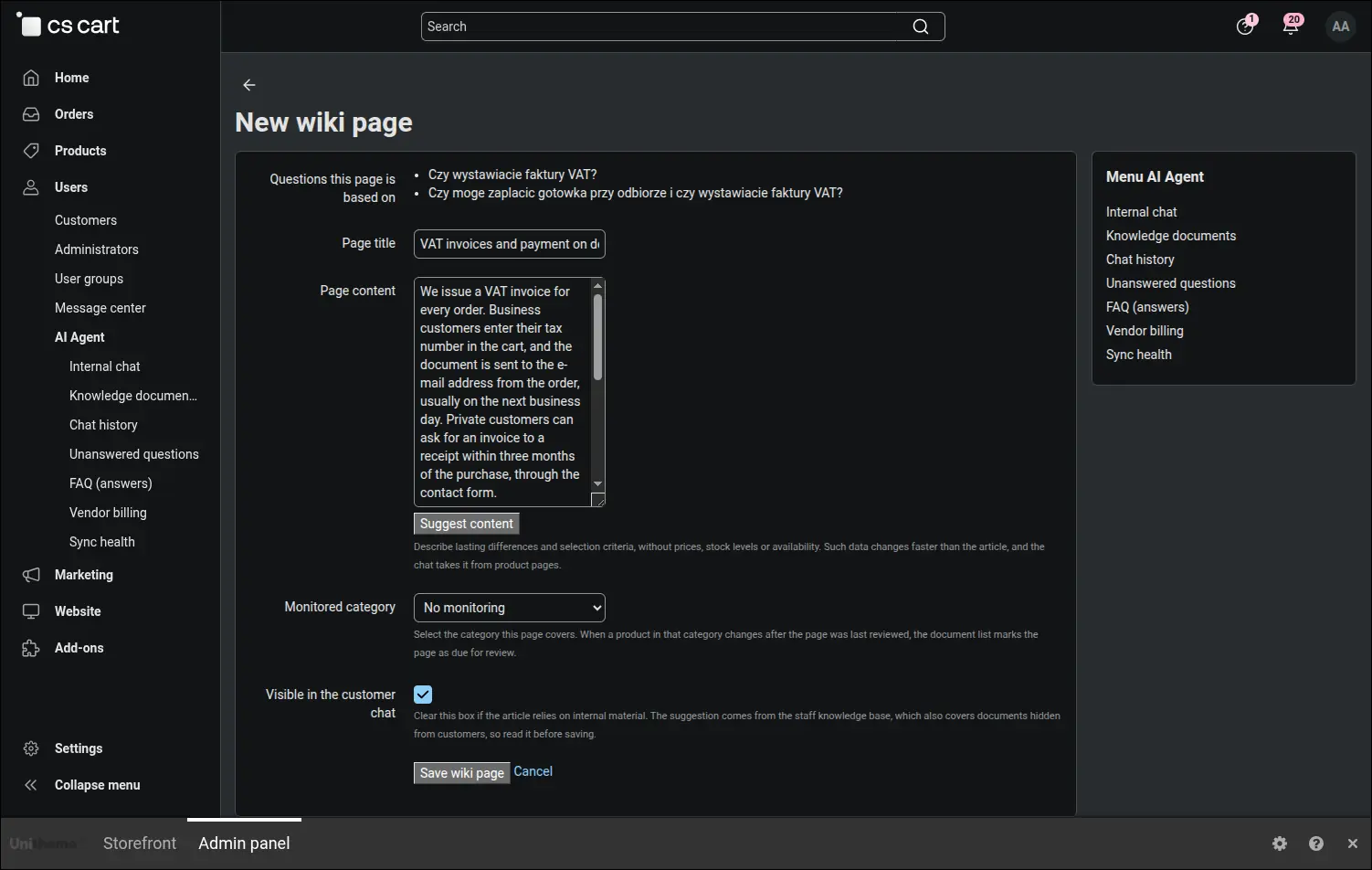
A new knowledge page written with the assistant
A write-up grows out of the customer questions you tick off. You see the source list, the title and content fields, a button that drafts the first version from the knowledge base and the decision whether the page should be visible in the customer chat.
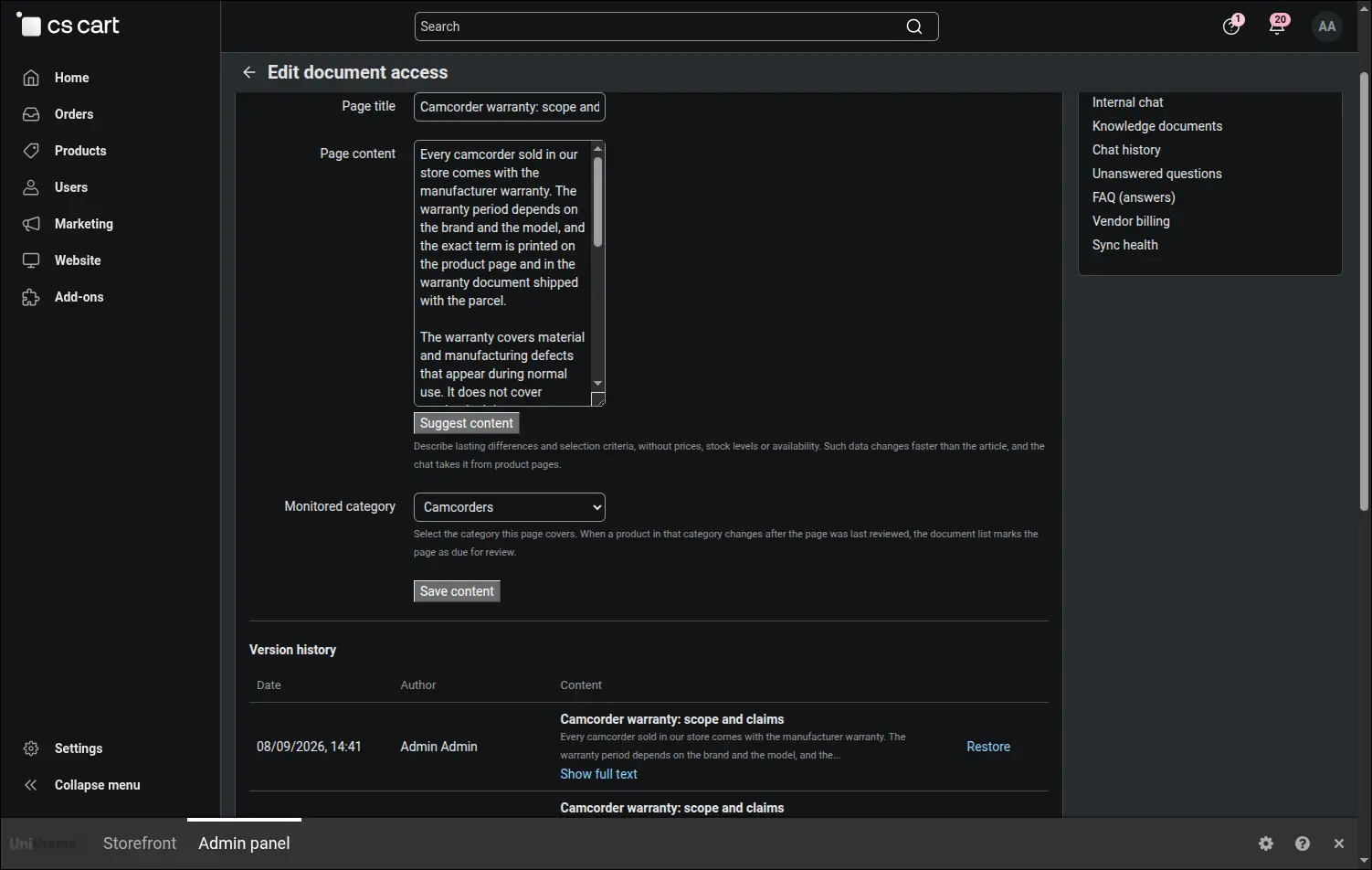
Version history of a knowledge page
Every change to the content is recorded with a date and an author, and an earlier version is restored with a single button. Next to it you choose the category whose changes should trigger a review of the page.
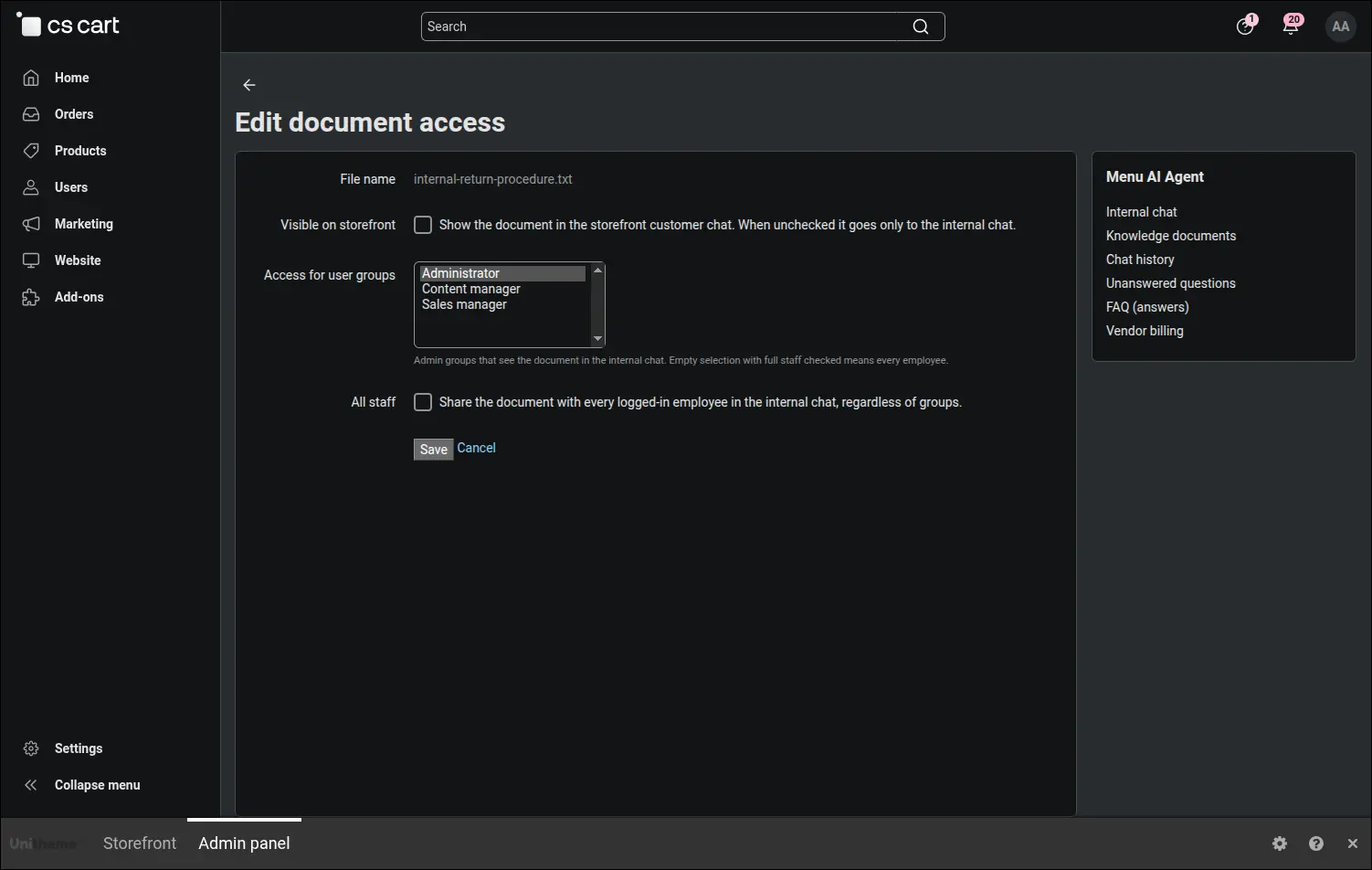
Access to a single document
For every piece of material you decide separately whether a customer on the site can see it or only your team, and which employee groups are entitled to it.
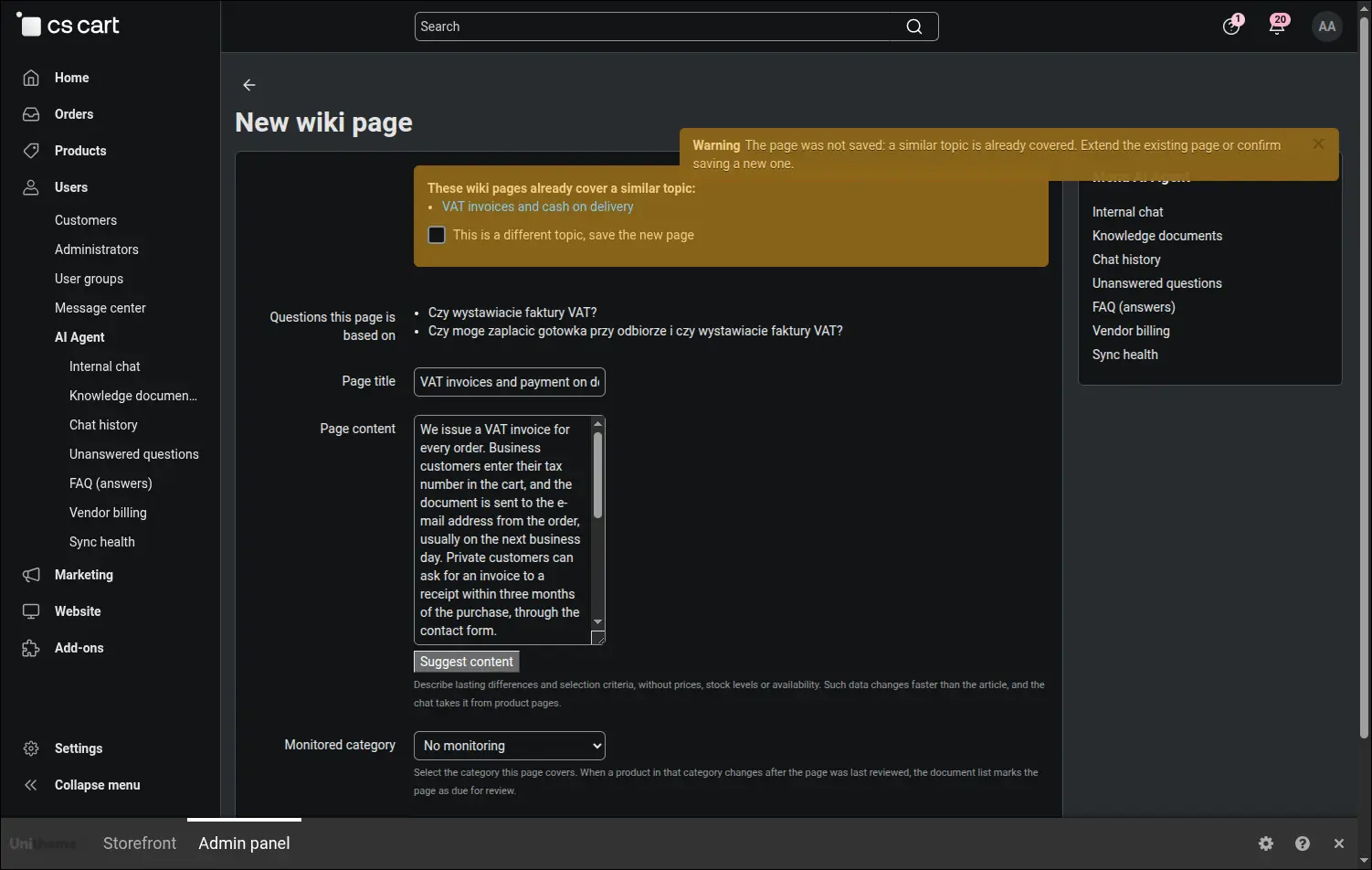
A warning about a similar page
The duplicate gate stops the save when a topic has already been covered. The form comes back with a list of similar pages, and if the new write-up should be created anyway, you confirm it deliberately.
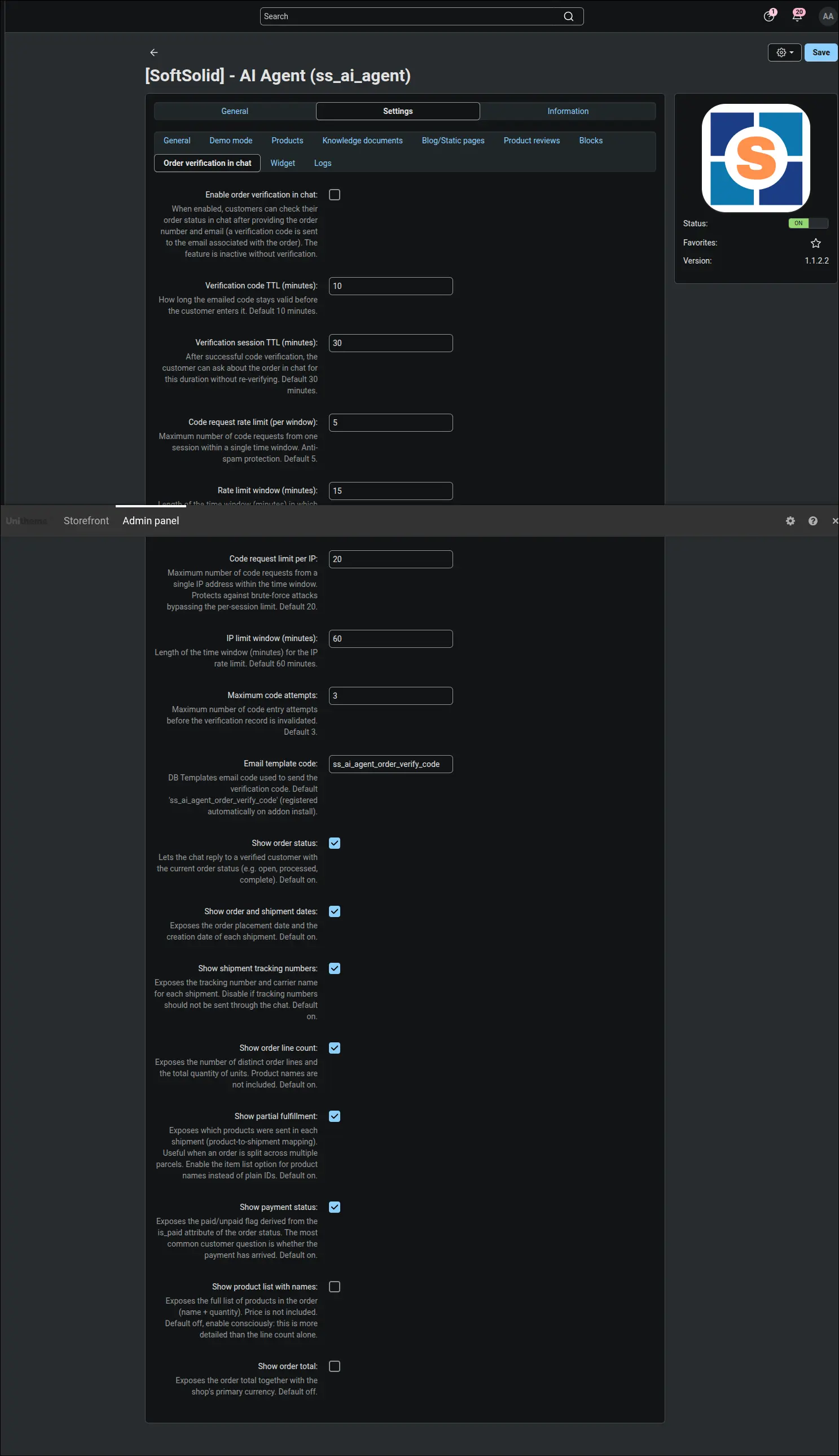
Order verification
The scope of order information the assistant may give a customer is set point by point, from the status alone to the list of items and the total.
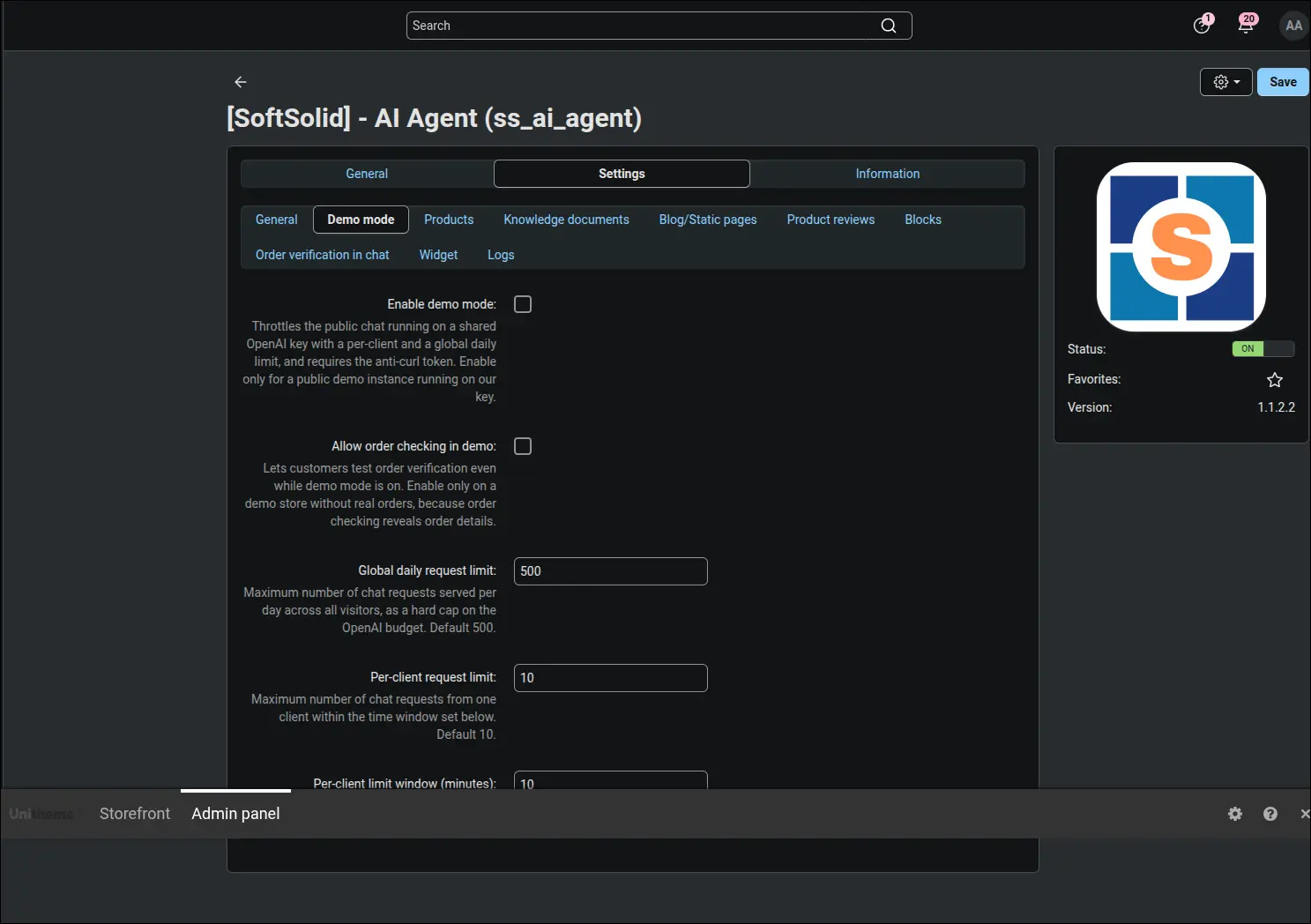
Demo mode and limits
A daily ceiling on conversations, a per-user limit and a time window, meaning the full set of brakes for a public demo of the assistant.
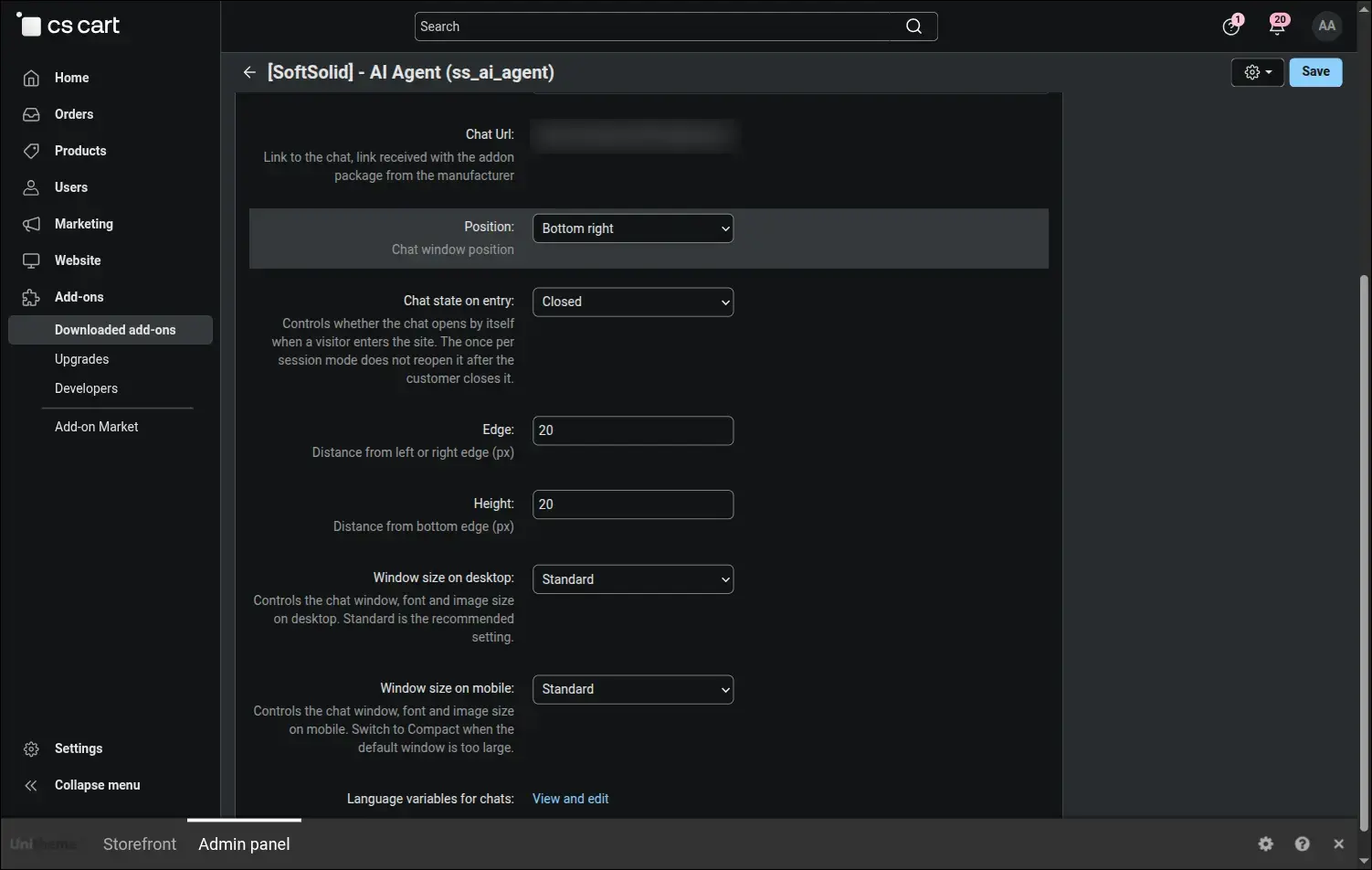
Widget look and behaviour
The position of the window, its size on desktop and on a phone, the distance from the edges and whether the chat should open by itself when someone enters the page.
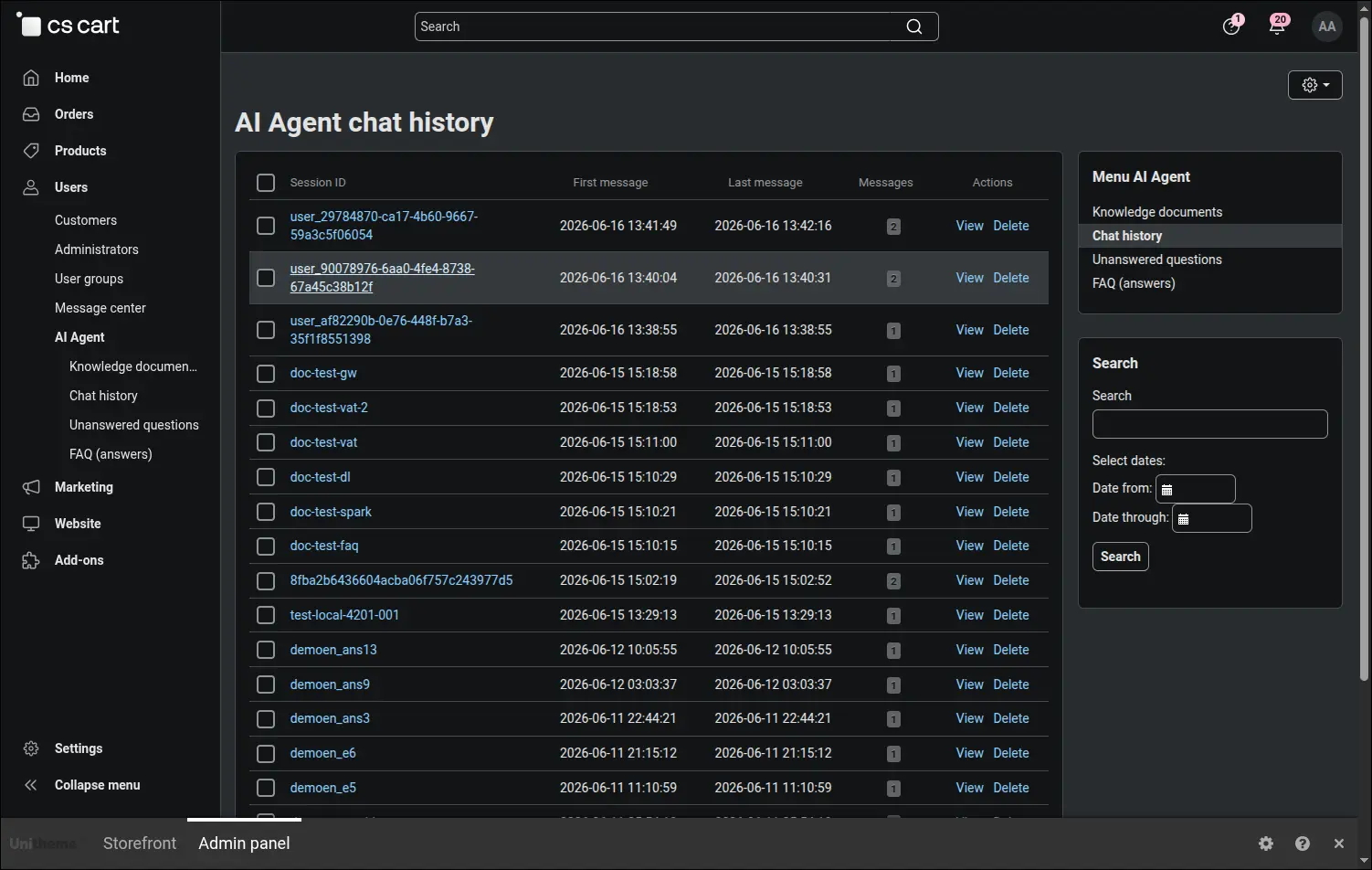
Conversation history
Every session with dates, a message count and a search box. You can see what people really ask about, rather than what we assume they should.
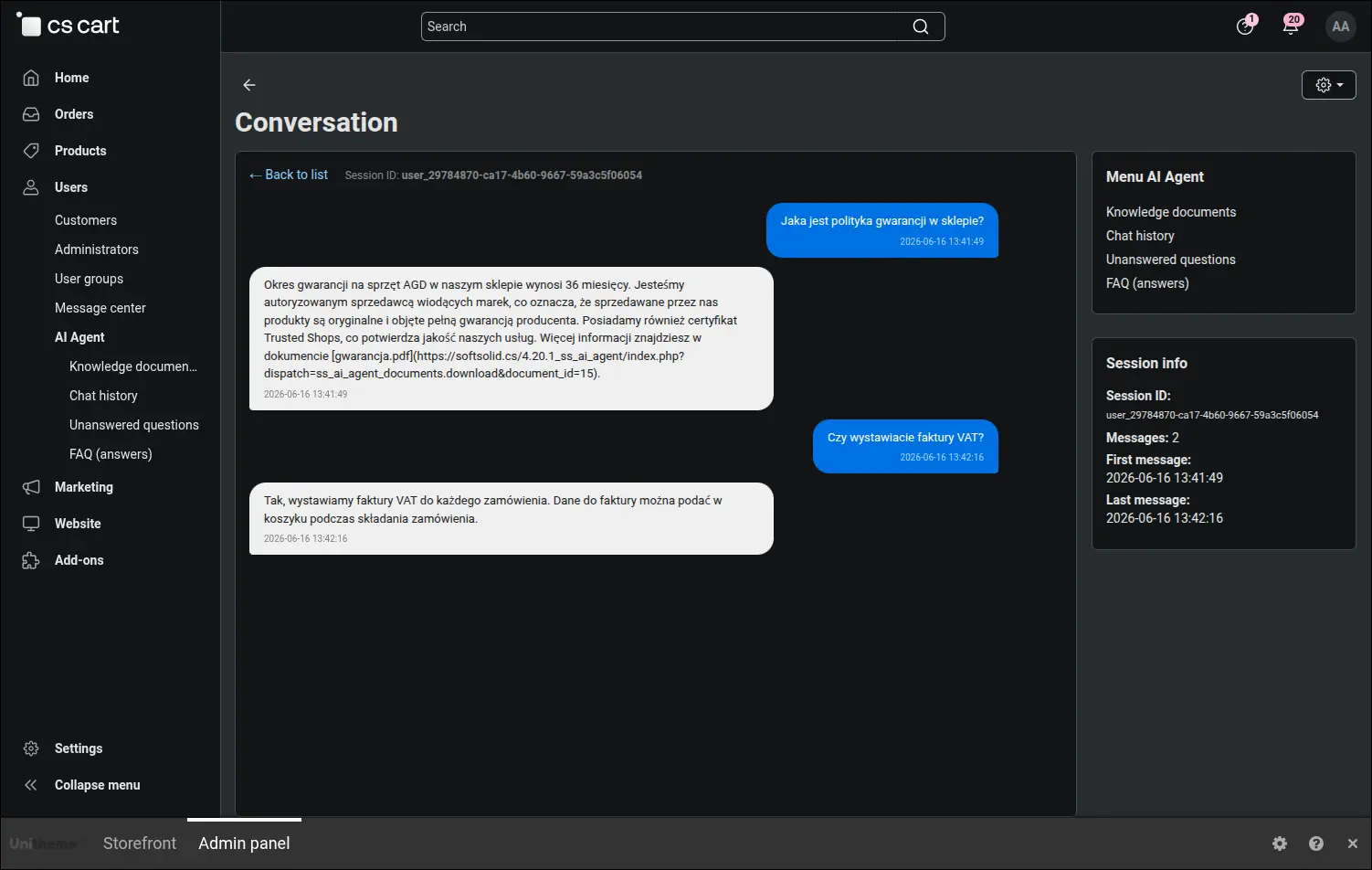
A single conversation
The full record of one conversation, message by message, together with the answers the assistant gave.
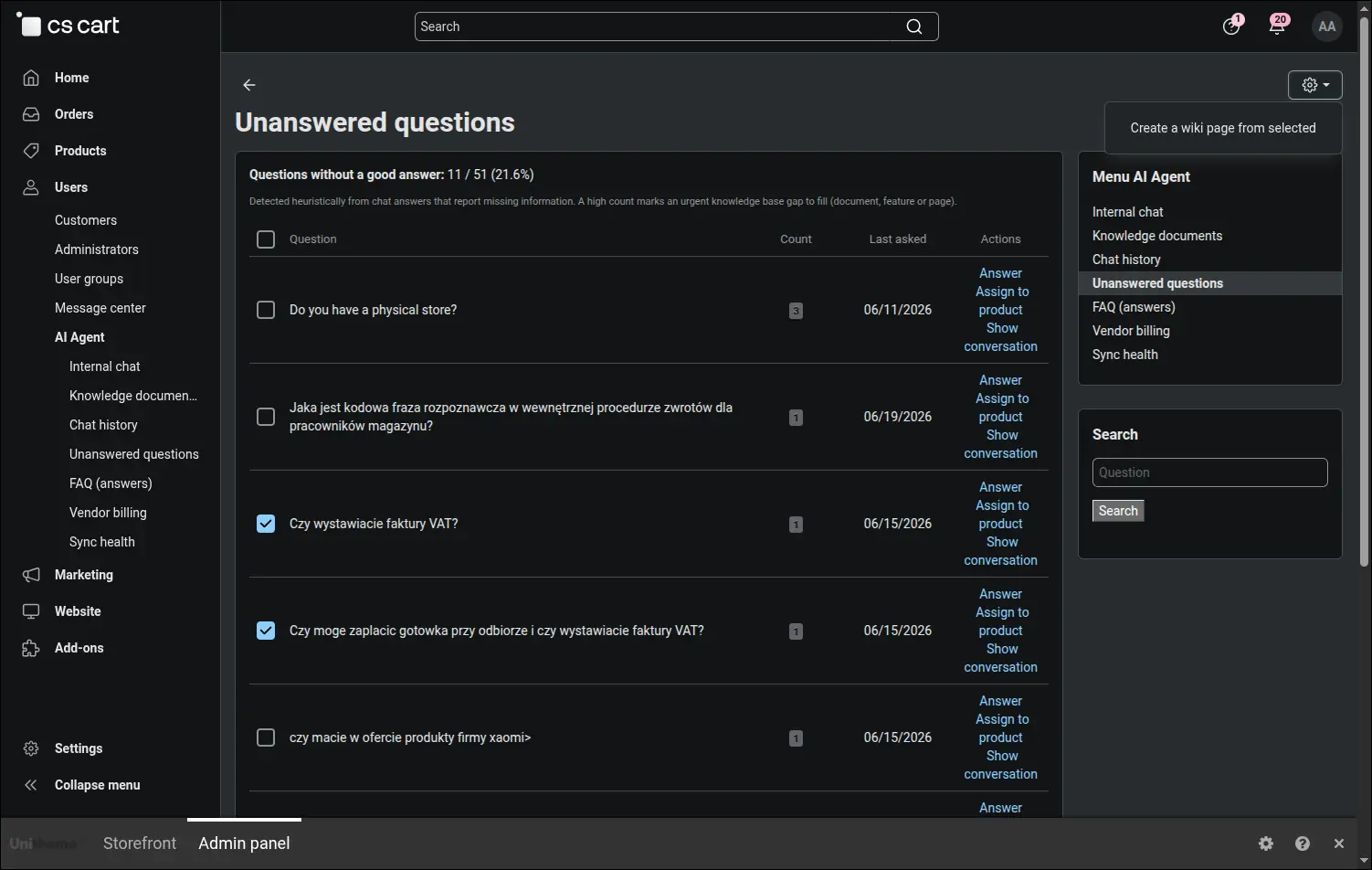
Unanswered questions
A list of knowledge gaps with a repetition counter and a share of total traffic. The starting point of the loop in which the assistant learns from what it did not know.
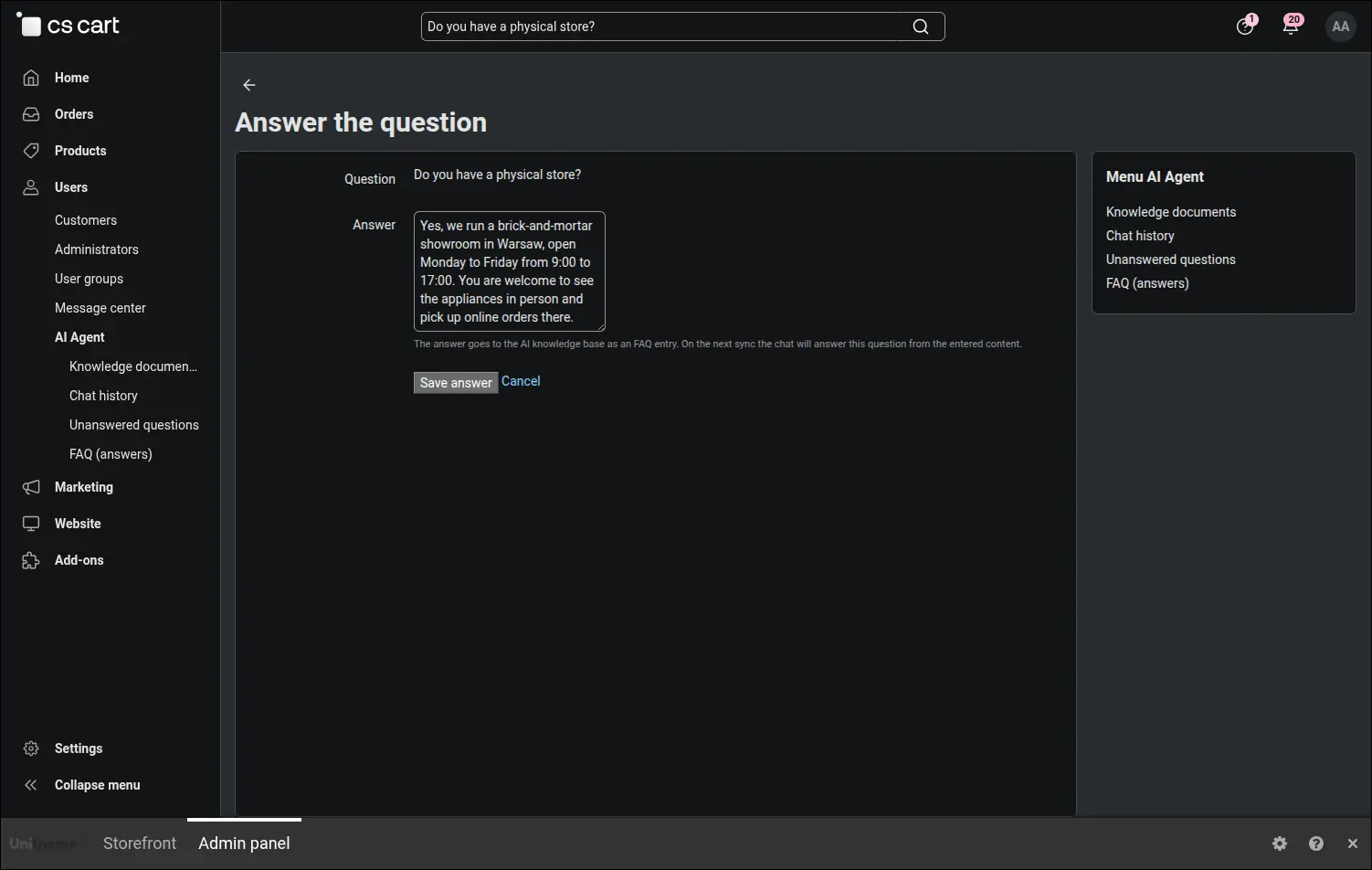
Closing a gap
The form where the answer to a missing question is written. You can write the content yourself or ask for a draft and merely edit it.
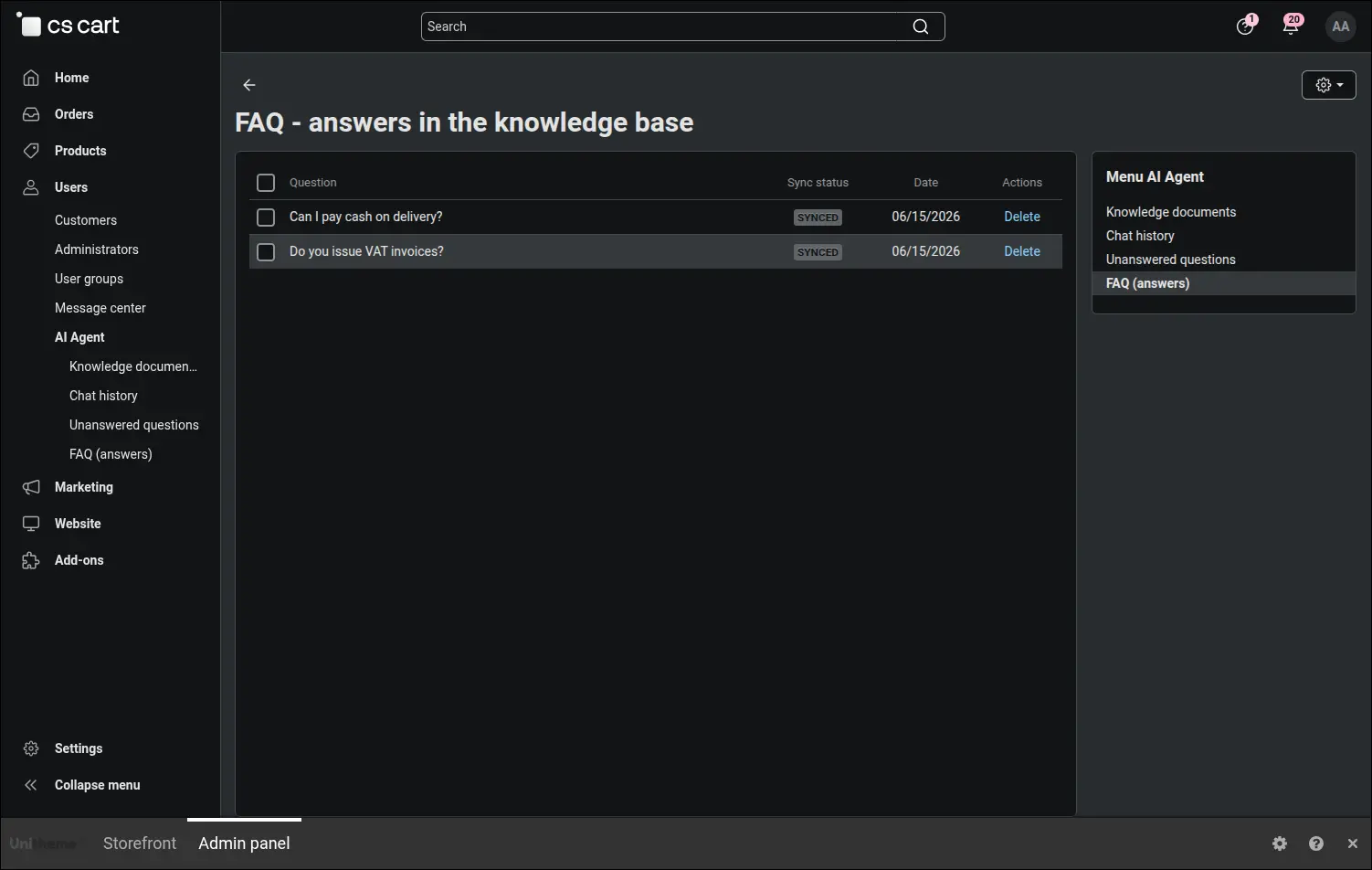
Your own answers in the base
A collection of ready answers added by hand, ready to be reviewed and tidied up at any moment.
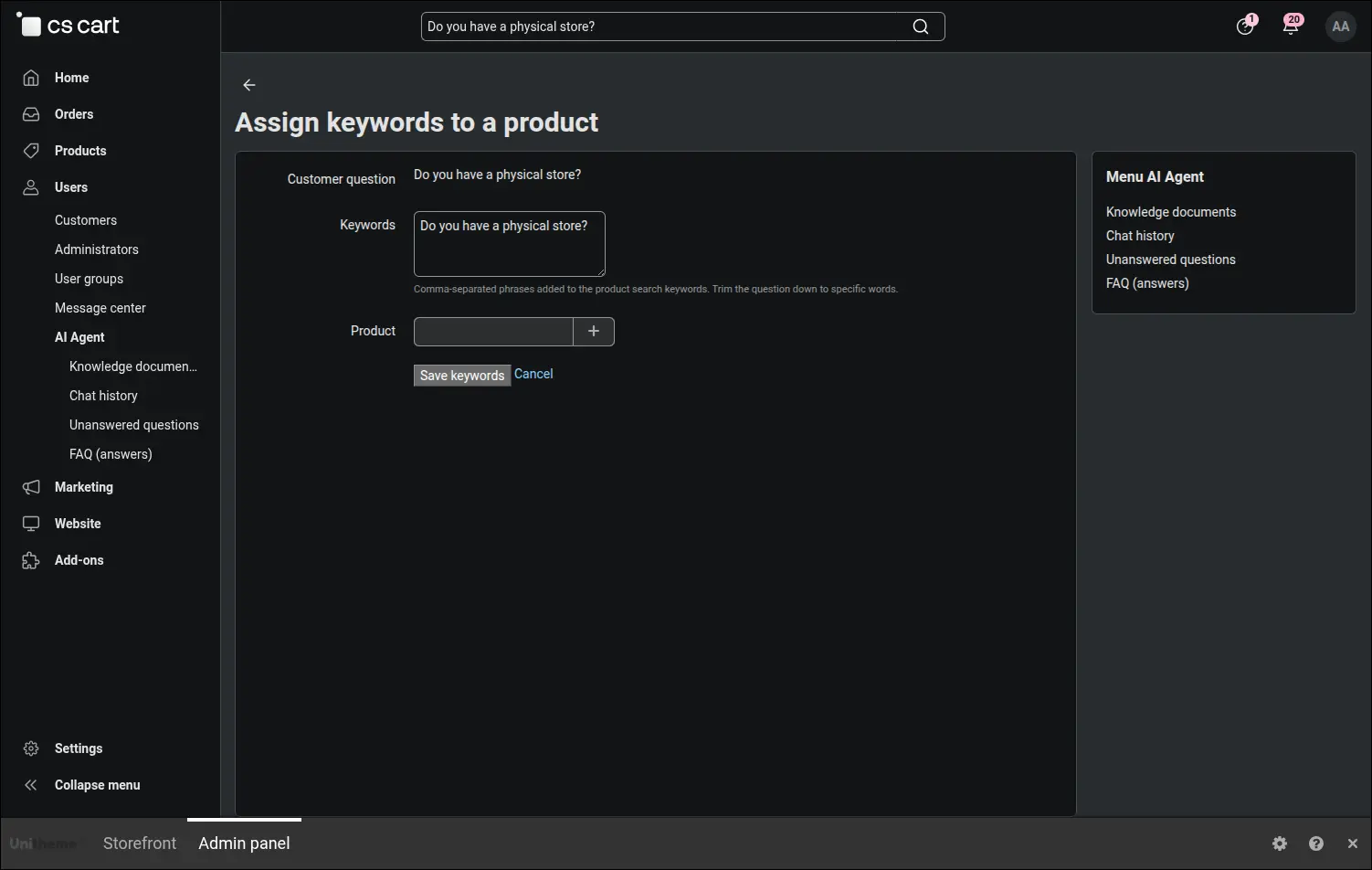
Linking a question to a product
The second way to close a gap: the question is linked to a specific product together with the words customers use to look for it.
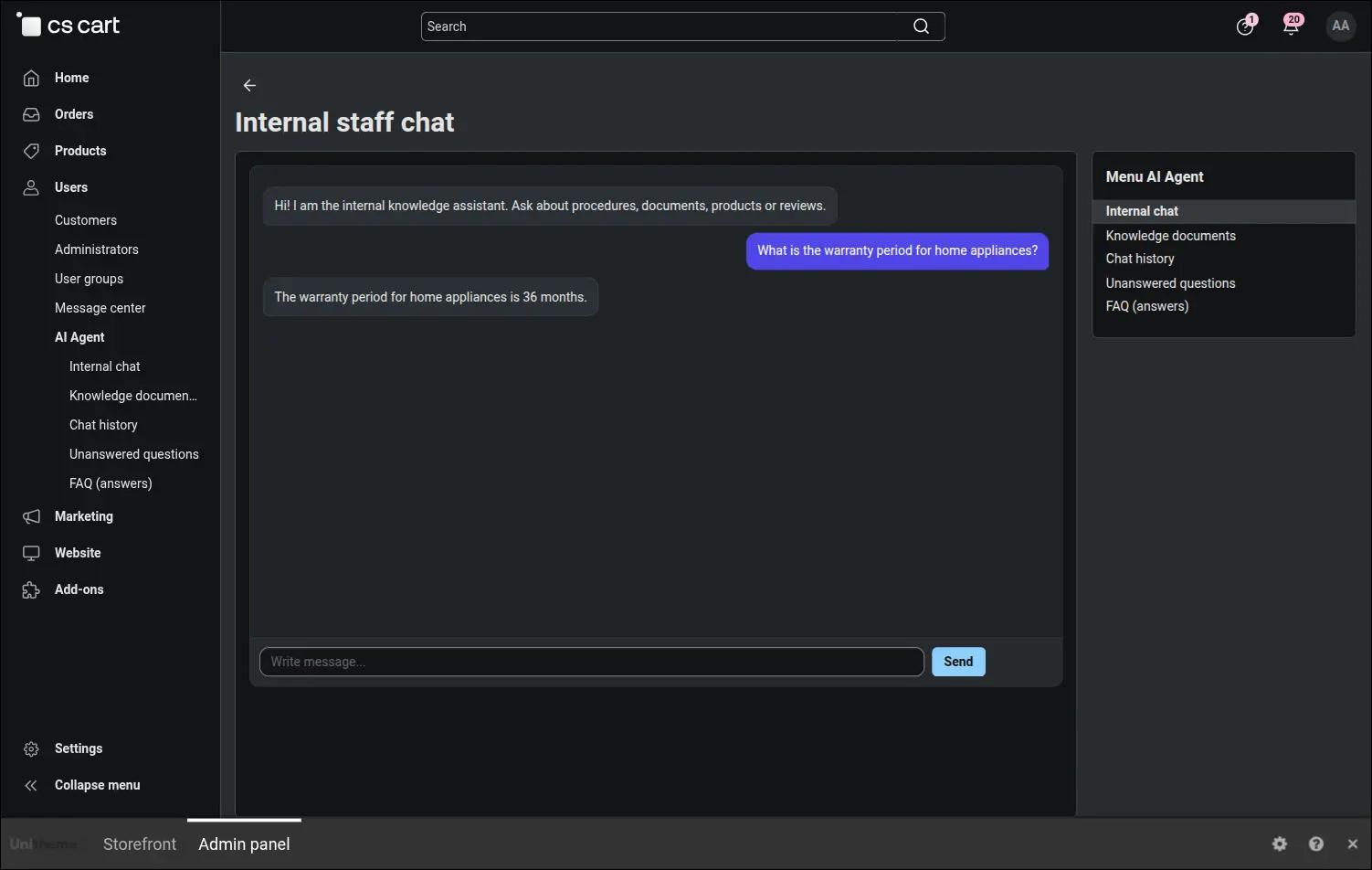
Internal chat for the team
A separate assistant for employees, isolated from the customer chat. It answers from internal knowledge, but only within the permissions of the person asking.
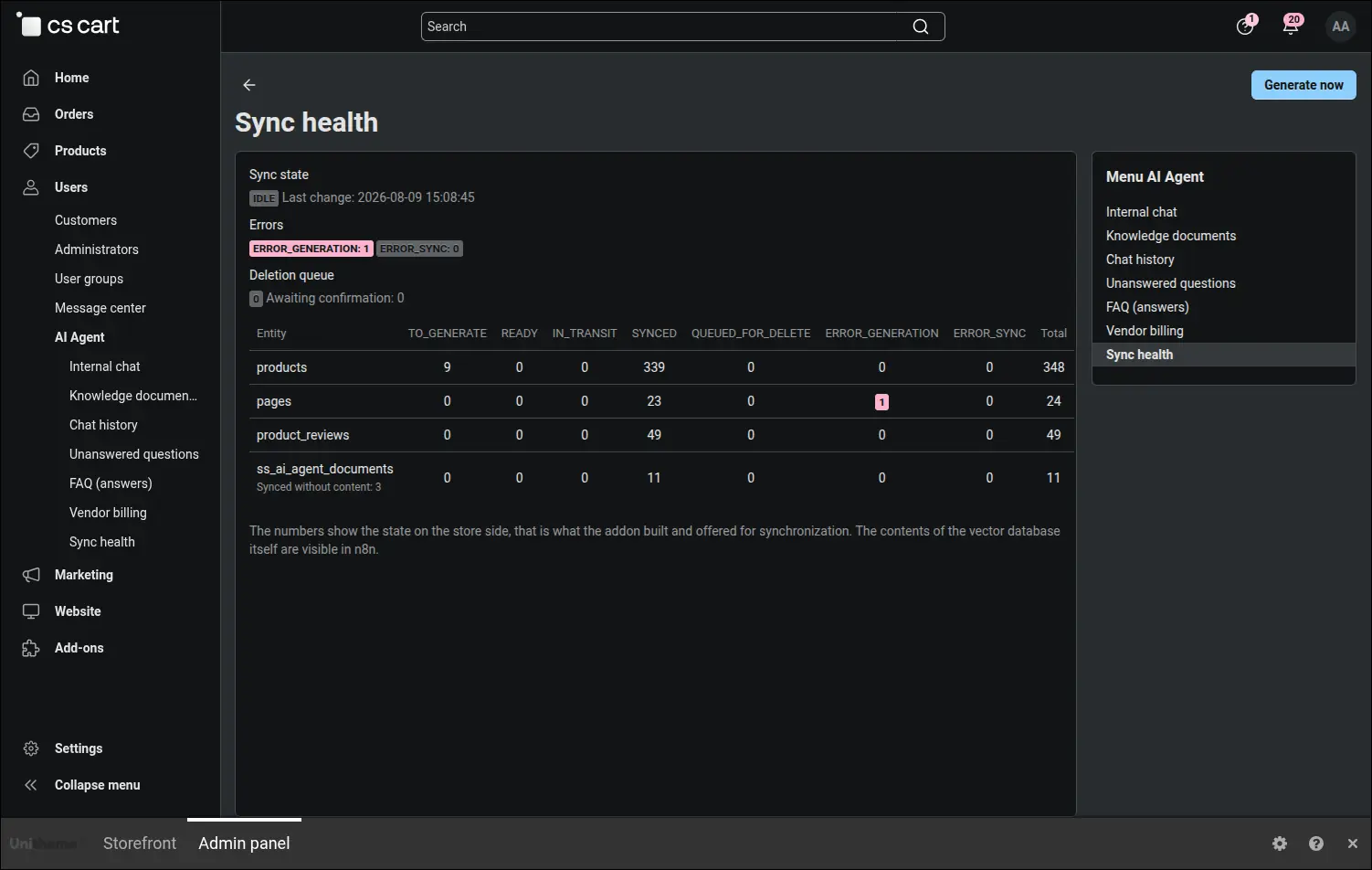
Synchronisation health
A snapshot of the integration: the global state, error counters, the flag distribution for every entity, the records waiting for confirmation and the deletion queue. The report can be generated on demand.
Sensitive data, meaning signed endpoint addresses and anything that could point to a particular customer, is blurred on the screenshots. Labels and field descriptions stay readable, so you can see what is actually being controlled.
Let's talk about your deployment
Book a live demo or send us a question. We reply quickly and to the point.
office@cs-cart.com.pl · +48 661 661 964
SoftSolid · ul. Sportowa 14, 62-090 Rokietnica
NIP PL8421361047